
Software & Development
ERP for manufacturing: a practical guide for Indian SMEs
How an ERP helps Indian manufacturers manage purchase, inventory, production, quality, sales and GST in one system, and how to implement it step by step.
By Pooja Gupta, Founder & CEO3 min read
The problem ERP solves for manufacturers
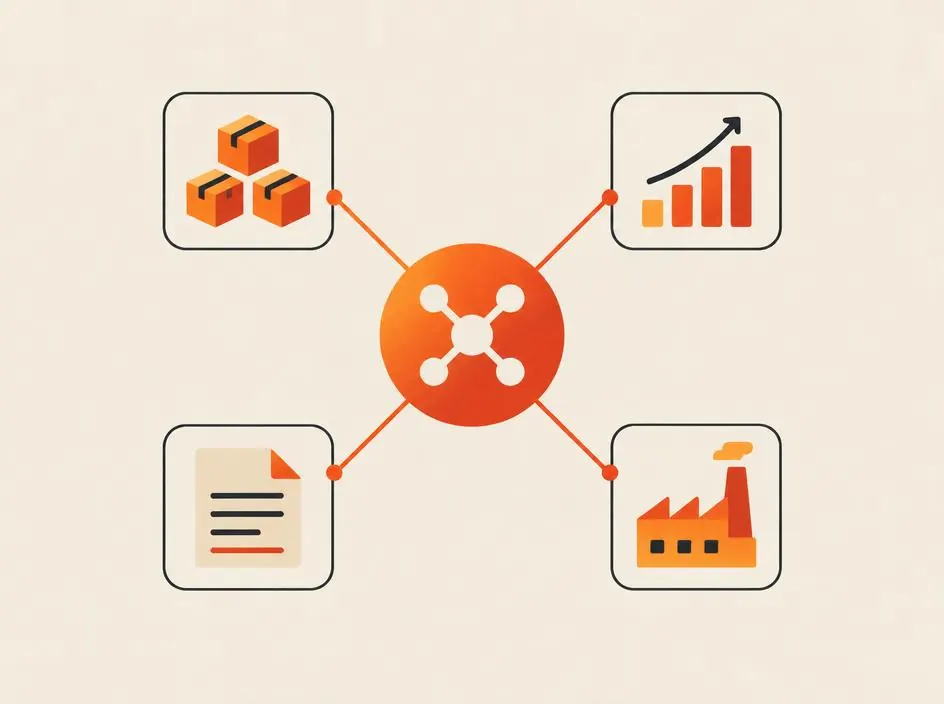
Many small and mid-sized manufacturers in India run on a mix of accounting software, spreadsheets, WhatsApp groups and paper registers. Purchase does not know what the store has. Production does not know which orders are urgent. Sales promises delivery dates without knowing whether raw material is available.
An ERP (enterprise resource planning) system connects these departments in one system, so every team works from the same, up-to-date information.
Signs your factory needs an ERP
- Stock in the system rarely matches stock on the shelf
- Orders are delayed because raw material was not ordered in time
- Nobody can say the real cost of producing one unit
- Month-end closing and GST reconciliation take days
- Owners rely on phone calls to know what is happening on the shop floor
- Data is entered again and again in different spreadsheets
Core ERP modules for manufacturing
Purchase and vendor management
Purchase requests, quotations, purchase orders, goods receipt and vendor bills, with reorder levels that warn you before material runs out.
Inventory and stores
Stock by item, location and batch, with movements between stores, production and dispatch. Batch or serial tracking matters for industries such as pharmaceuticals, food and electronics.
Production planning
Bills of materials (BOM), work orders, material issue to the shop floor, production entry, scrap and rework. Production planning connects sales orders to the material and capacity needed to fulfil them.
Quality control
Incoming material inspection, in-process checks and final inspection, with records of rejections and the reasons for them.
Sales and dispatch
Quotations, sales orders, delivery challans, invoices and dispatch tracking, so sales can see stock and production status before committing a delivery date.
Finance, GST and compliance
Accounts receivable and payable, GST-compliant invoices, e-way bills and e-invoicing where applicable, and reports your accountant needs. Many businesses connect the ERP to their existing accounting software rather than replacing it.
Reports and dashboards
Owner dashboards for orders, production, stock value, pending payments and profitability by product or customer.
Ready-made, customised or custom ERP?
- Ready-made ERP: quicker to start and suitable when your process is close to standard manufacturing practice.
- Customised ERP: a ready-made platform adapted with extra fields, reports and workflows.
- Custom ERP: built around your exact process, often for manufacturers with unique production steps, job work or industry-specific requirements.
The right choice depends on how standard your process is, how many users you have and which systems the ERP must connect to.
How to implement ERP step by step
- Map your current process from enquiry to dispatch and payment, department by department.
- Prioritise modules. Start with the areas causing the most problems, often inventory and purchase.
- Clean your master data: items, BOMs, vendors, customers and opening stock.
- Configure and test with real transactions before going live.
- Train users in each department, including store and shop-floor staff.
- Go live in phases, then add production planning, quality and advanced reports.
- Review monthly and improve reports and workflows as people use the system.
An ERP is only as accurate as the data entered into it. Simple screens and good training matter as much as features.
Common mistakes to avoid
- Trying to implement every module at once
- Copying old spreadsheet habits into the new system
- Skipping data cleaning before migration
- Leaving shop-floor and store staff out of training
- Choosing software before understanding the process
Get an ERP built for your factory
YLS Innovation Technologies designs and builds ERP systems for manufacturers, distributors and growing businesses in India and abroad. See our ERP solutions, how we support manufacturing businesses, or contact us to discuss your process.
Find the right next step for your business
Related articles
Software & Development
Flutter vs React Native: which is right for your app?
Flutter or React Native for your Android and iOS app? Compare how they work, performance, design, team skills and maintenance to choose with confidence.
Read article
Software & Development
Agency vs freelancer vs in-house developer: how to choose
Compare hiring a development agency, a freelancer, an in-house developer or a dedicated developer on cost factors, control, speed, risk and long-term support.
Read article
Software & Development
Software development cost: India vs the USA and UK
Why software development costs differ between India, the USA and the UK, what you pay for beyond the hourly rate, and how to compare total cost fairly.
Read article